Modeling, clash resolution, and sheeting aren't three separate jobs — they're one loop. This workspace keeps all three in step across every discipline, in your browser, with a live dashboard and exportable reports. No installation.
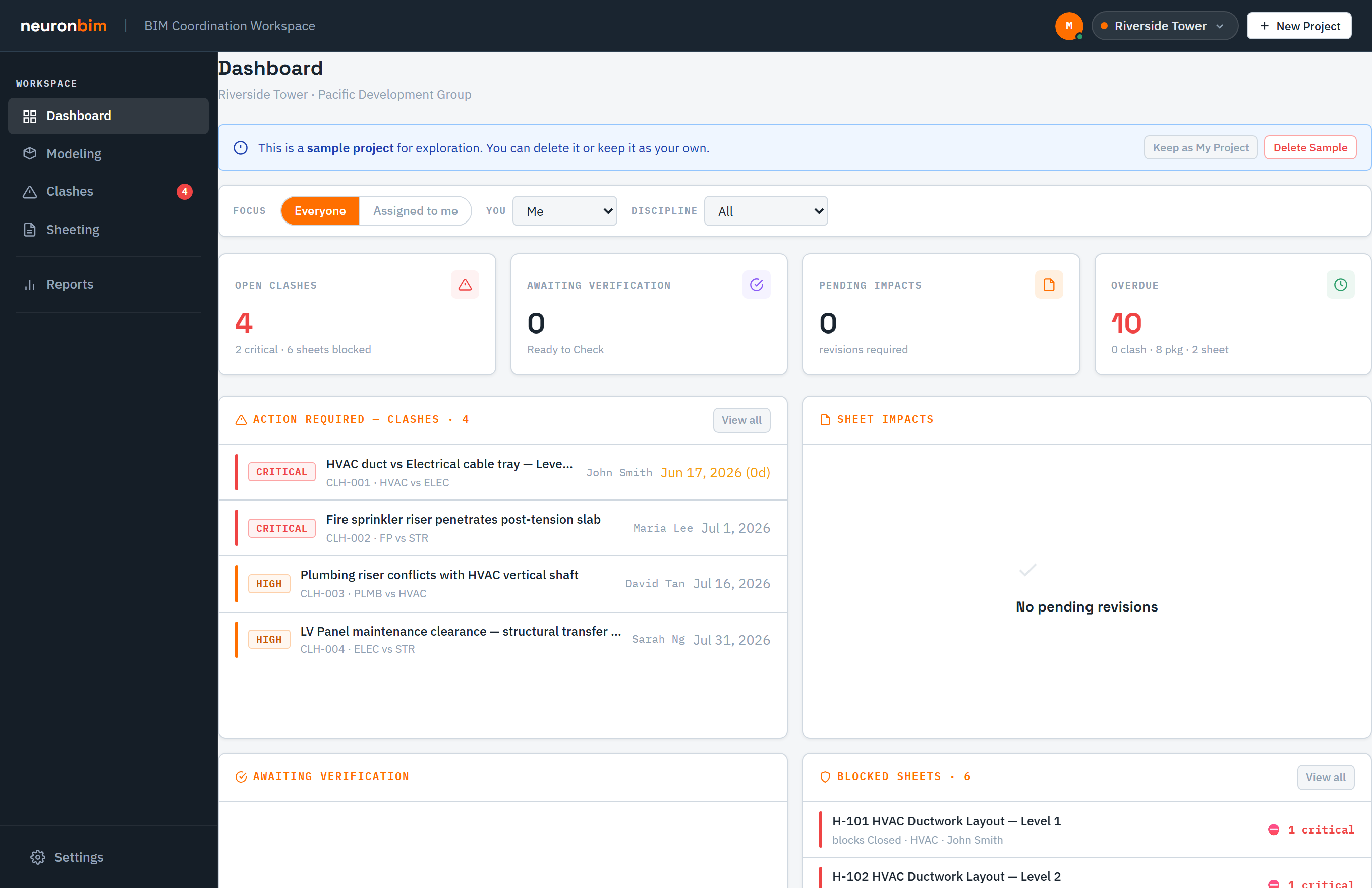
BIM Coordination Workspace treats modeling progress, open clashes, and sheet revisions as one connected loop — not three disconnected trackers — so a change in one is visible in the others and nothing slips between disciplines or spreadsheets.
It runs in your browser and keeps state locally; sign in and your projects sync to your account. Saves are conflict-aware, so two people working at once won't overwrite each other's changes.
Coordination isn't a checklist you finish — it's a loop you keep turning. Modeling feeds clash detection, resolved clashes reshape both the model and the drawings, and issued sheets send the next round of work back to modeling. The workspace keeps all three visible at once.
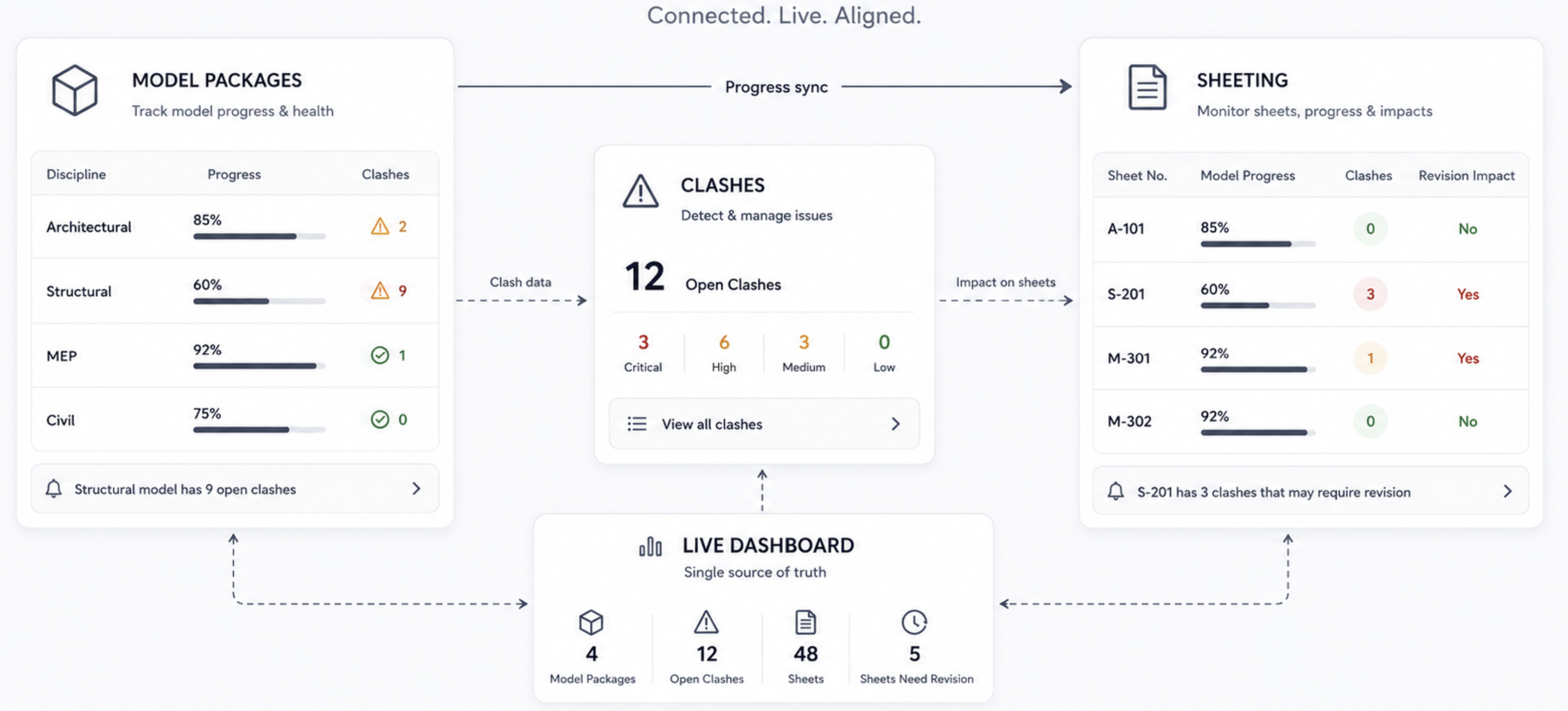
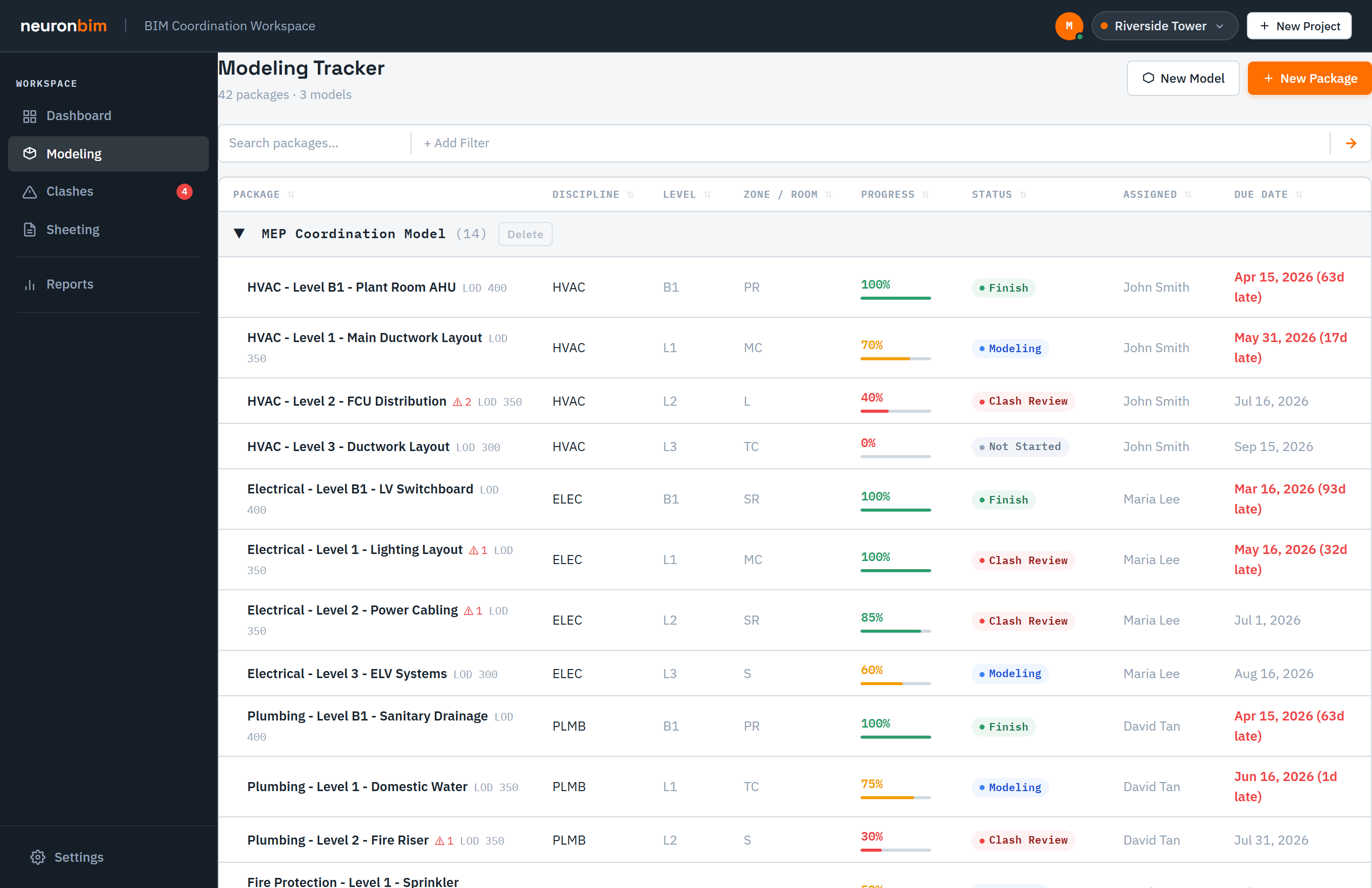
Every discipline logs its packages and models in one shared list — each with its discipline, status, and a progress percentage — so the whole team can see what's been modeled and what's still outstanding without chasing anyone for an update. As models are issued and federated, they become the input for clash detection, which means coordination always runs against the current state of the building rather than a stale snapshot. Keep this list honest and the rest of the loop stays trustworthy.
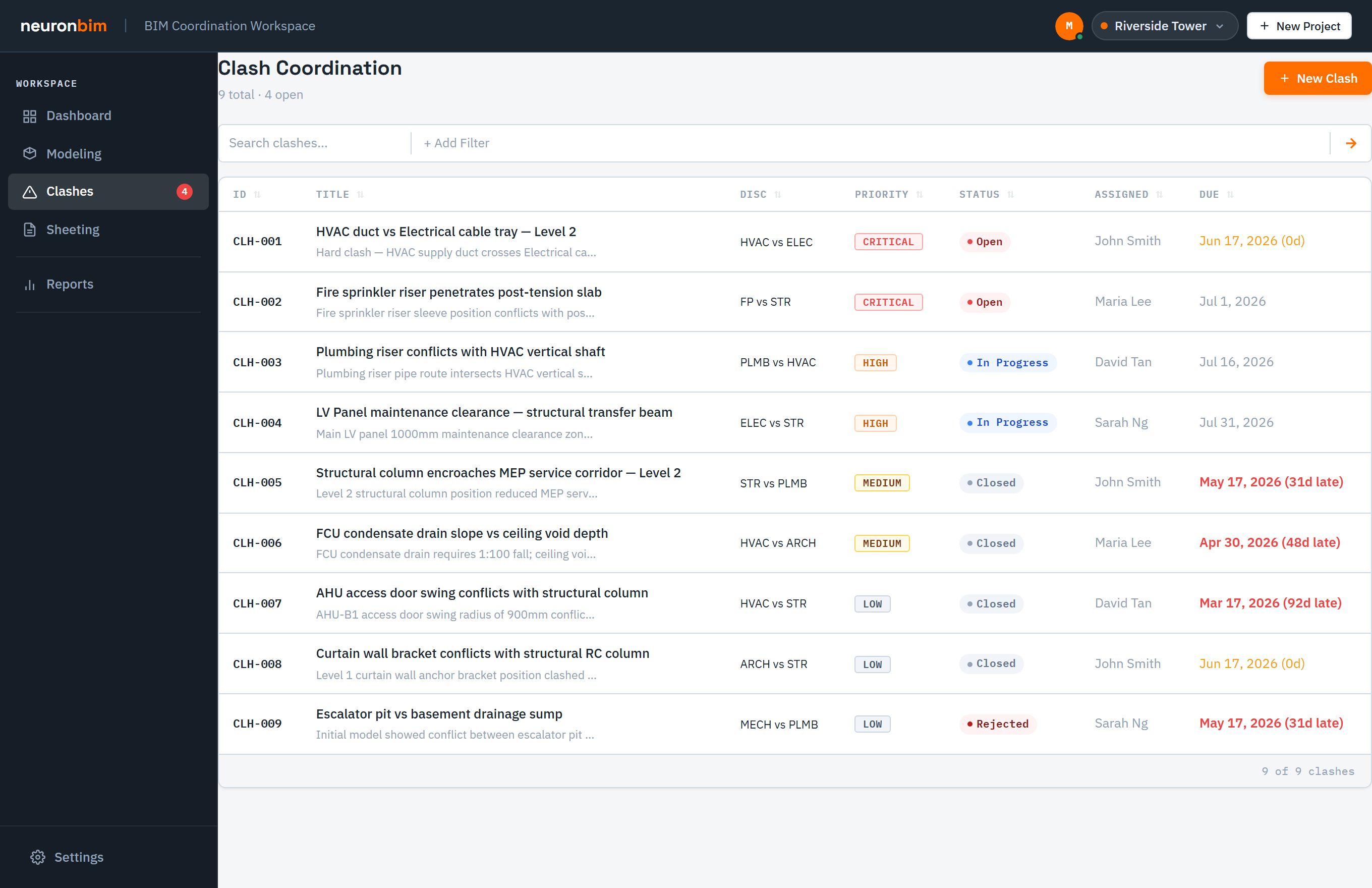
Every clash is recorded with a status, priority, assignee, and due date, plus a thread of comments and a full history — so the reasoning behind each decision stays attached to the issue instead of scattering across email and meetings. Filtering and sorting let a coordinator zero in on what's overdue or high-impact first. Resolving a clash rarely ends with the clash itself: it sends rework back to the model and changes what the drawings have to show, which is why clashes sit at the centre of the loop, driving both modeling and sheeting.
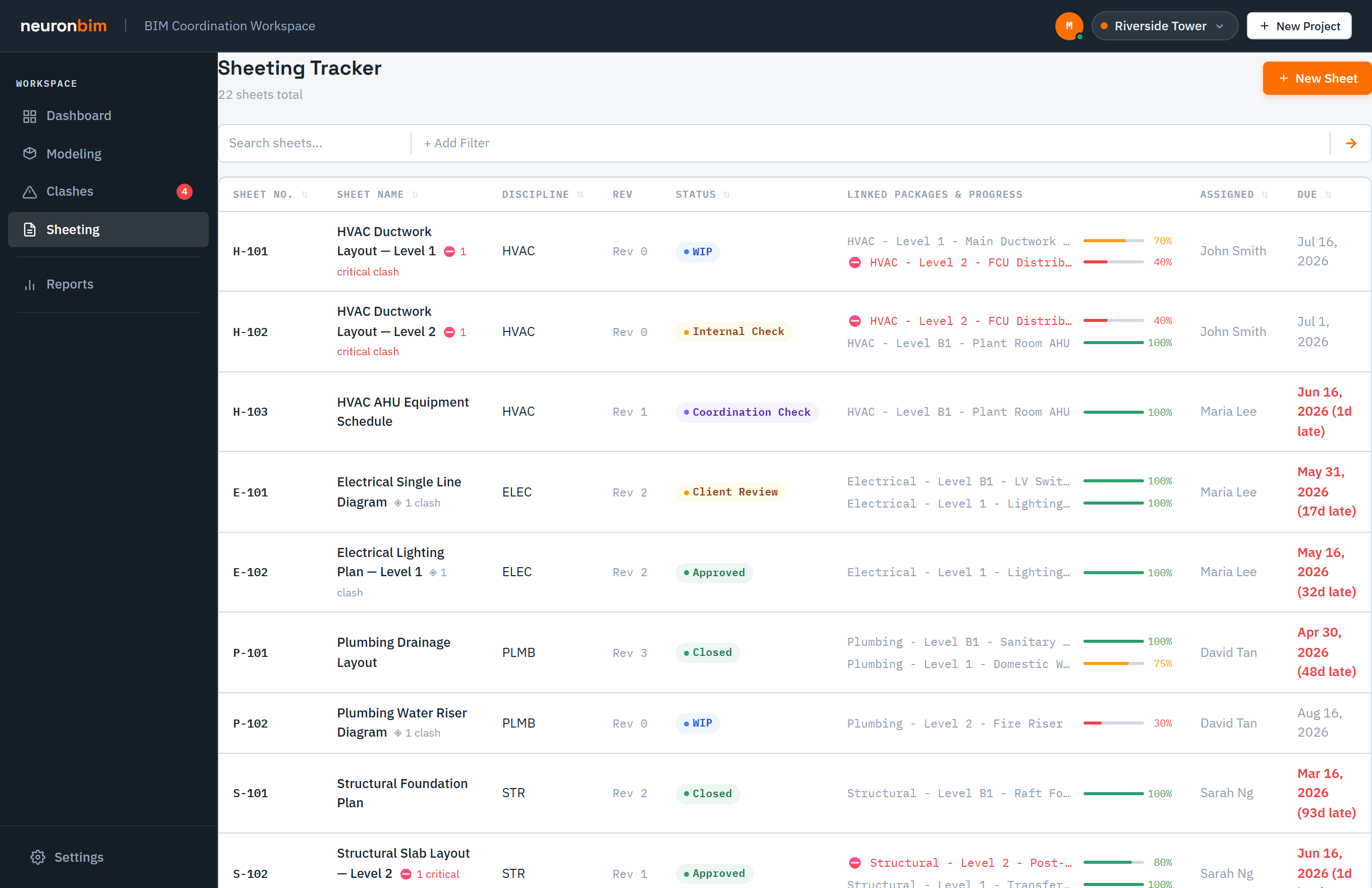
Sheets and revisions are kept in step with the coordinated model, so the documents you issue actually reflect the decisions made during clash resolution rather than lagging a version behind. Each issued set becomes a checkpoint — it shows what's genuinely resolved and what's still open — and that feedback feeds straight back into the next round of modeling. That's what closes the loop: sheeting isn't the end of the line, it's the hand-off that starts the next cycle.
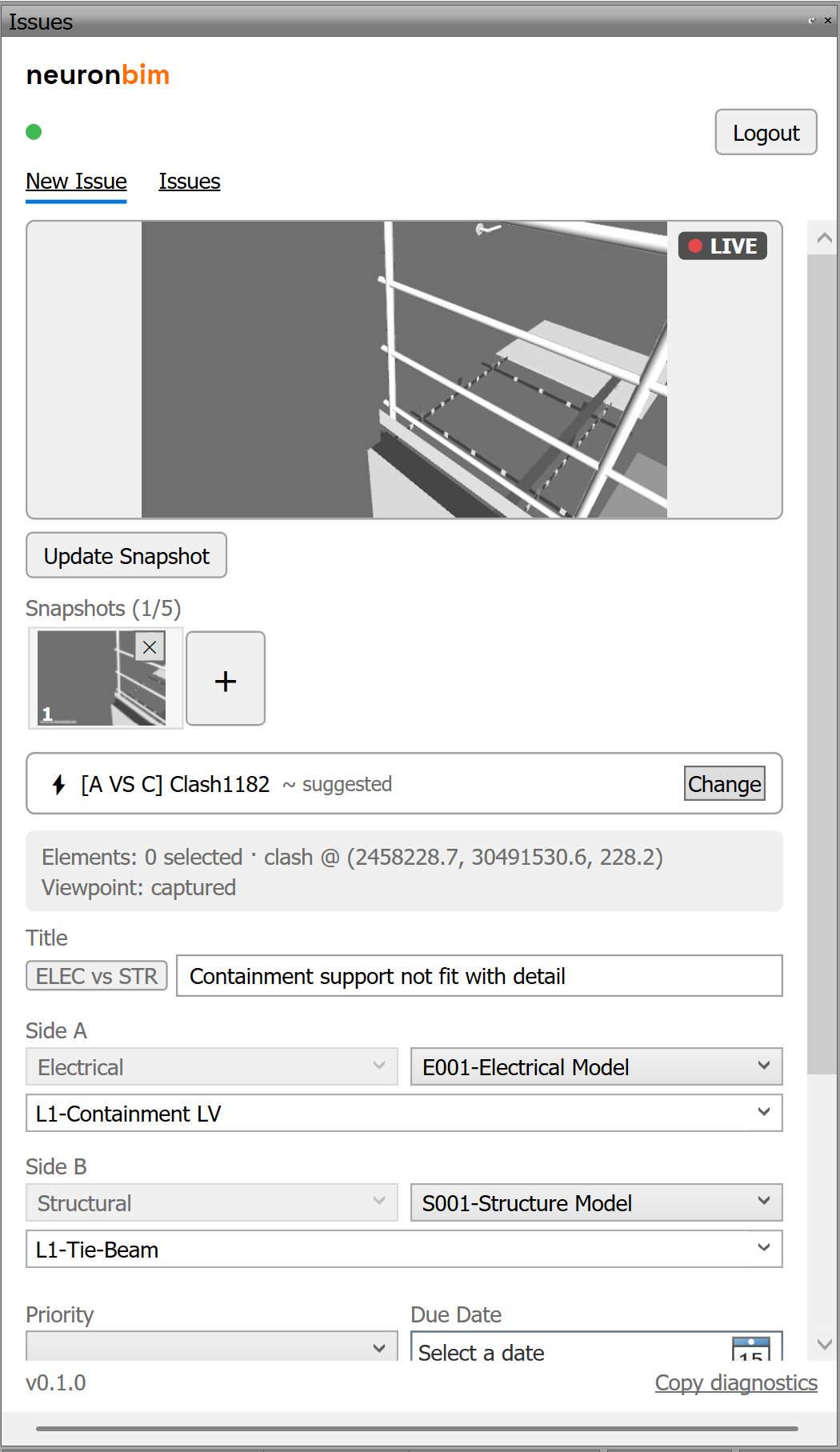
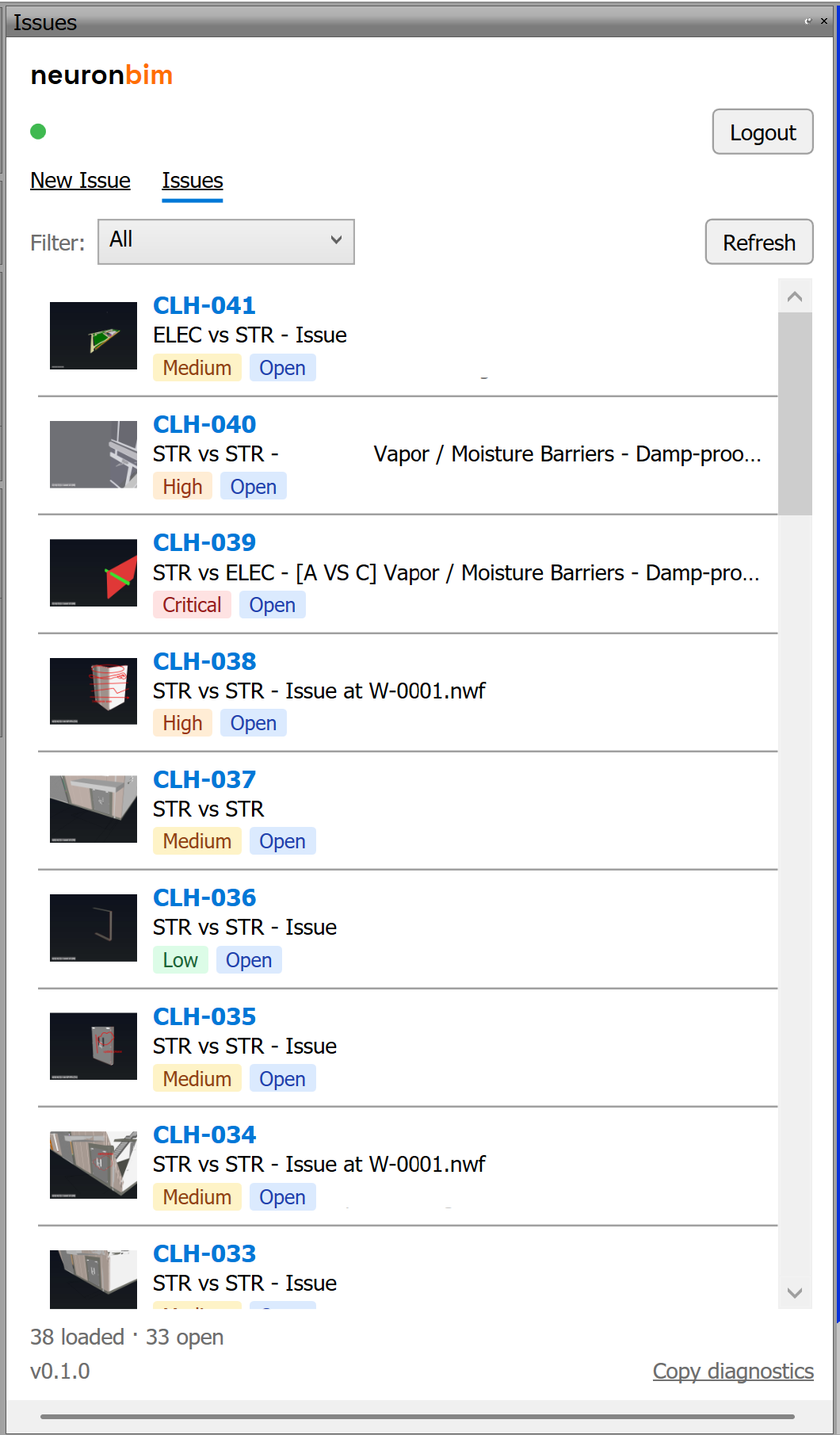
Coordination starts in the model. Our Navisworks desktop plugin connects to your federated model, collects the clashes you run, and pushes them — with screenshots — into the workspace's Clashes view, so you're not re-keying anything by hand.
Dashboard, Modeling, Clashes, Sheeting, Reports, and Settings — all in one shell.
Create and switch between projects in a click; each keeps its own state.
Status, priority, assignee, and due date, plus per-item comments and history.
Log packages and models, and keep sheet revisions in step with the model.
Project-health analytics surface what needs attention first.
Ready to coordinate?
Open the BIM Coordination Workspace in your browser — no installation required. Sign in to save your projects to your account.
Open the workspace →